As I tweeted a bit on Bluesky, I received a file management tool that runs locally on Windows from a friend, and because I loved it so much, I even ended up making an introductory video for it.
While I introduce the features in the YouTube video, I’ll also supplement it here in writing.
I also got permission to distribute it, so you can download it from this page.
There are a few precautions for using it, so please make sure to check those as well.
Feature Introduction and Fun Parts
The download link is at the bottom of the article. If you just want to download, please go here.
LoreBinder is a DB-less, tag & binder-driven file management system that runs on a local Windows environment. It allows you to place various knowledge and file information such as images, texts, tasks, and folder paths on a 2D binder, organizing information visually and intuitively. It features an immersive steampunk and industrial UI design.
…That’s an excerpt from the README I received, but it’s hard to understand at first glance…
In a nutshell, it’s a tool where you can paste the full paths of files or text memos into a browser, or paste task cards for Kanban-style task management.
I wasn’t used to the “full path” concept at first, and thought it was a bit quirky.
You can store the full path of a file (not the file itself) in the clipboard by pressing Ctrl+Shift+C in Explorer. In a way, learning this shortcut seems to have a pretty big impact on me going forward.
Turning File Info into Cards and Managing in a Binder
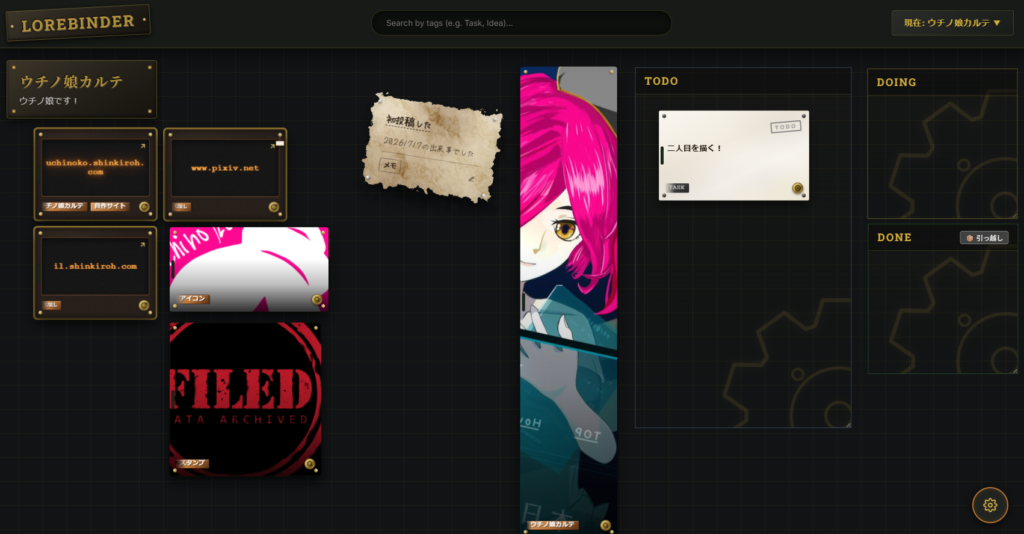
Basically, you choose a theme for a binder, and paste the full paths of related files into it (not the files themselves, just the paths) to turn them into cards and manage them as a bundle.
The best part is that the binder is built solely on links to the files, while the actual files remain exactly where they are.
Because it works completely locally, there’s no worry about data leaking outside.
You can freely paste materials you wouldn’t want others to see, or creations you’re too timid to publish.
Another great point is being able to manage various types of cards in a single binder.
There are 8 types of cards in total.
Image: A transparent screen where the background slowly pans. My favorite.
Memo: Handwritten style with a strong paper texture. I like it quite a bit.
Task: An industrial work order form bolted down (supports Kanban).
Text: A physical typewriter preview that auto-scrolls. Looks cool.
URL: A brass gadget where the domain name glows like a Nixie tube. Generates a QR code on the back.
Binder Link: A safety box door that nests binders.
Folder: A leather-bound file box that can launch Explorer.
Other: A crate (wooden box) for unknown extensions.
Pasting a character setting memo next to an image, alongside a text file saved as a short story, and attaching a URL to a character intro page… I really love the feeling of being able to construct your own world within the binder like this.
Task Board Management Feature
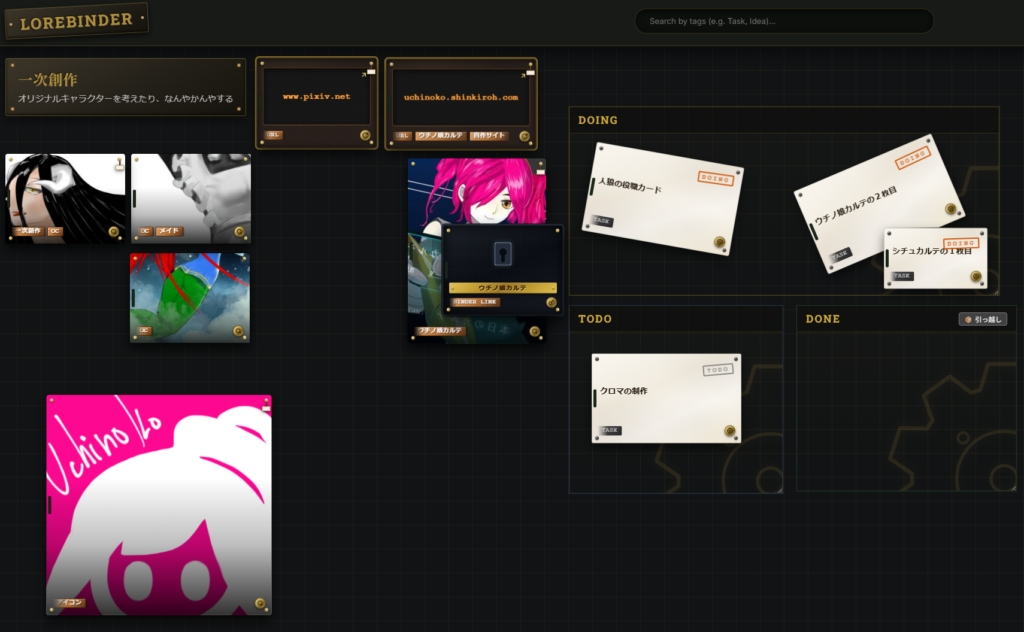
You can place task board zones (ToDo, Doing, Done) within a binder, and by pasting task cards into these zones, you can perform Kanban-style task management.
What’s great about this is that since you can paste various cards in a binder, placing reference materials right next to task cards allows for seamless document checking when you resume work at a later date.
The creator mentioned it was just a bonus feature, but for me, I use it almost as the main function.
If you paste reference materials next to a task card when drawing an illustration, it’s guaranteed to lift your spirits when you start working.
It also makes gathering materials much more efficient.
Portfolios are Fun
All things considered, just being able to arrange and admire your own work however you like is way too much fun.
You can freely adjust the size and angle, and it’s great to visually see your past achievements.
You’ll understand if you watch the YouTube video, but when you turn an image file into a card, it’s pasted as a borderless image, and it moves subtly.
It might not seem like much with just one or two, but when you have 10 of them lined up, it’s so entertaining that you could stare at them forever.
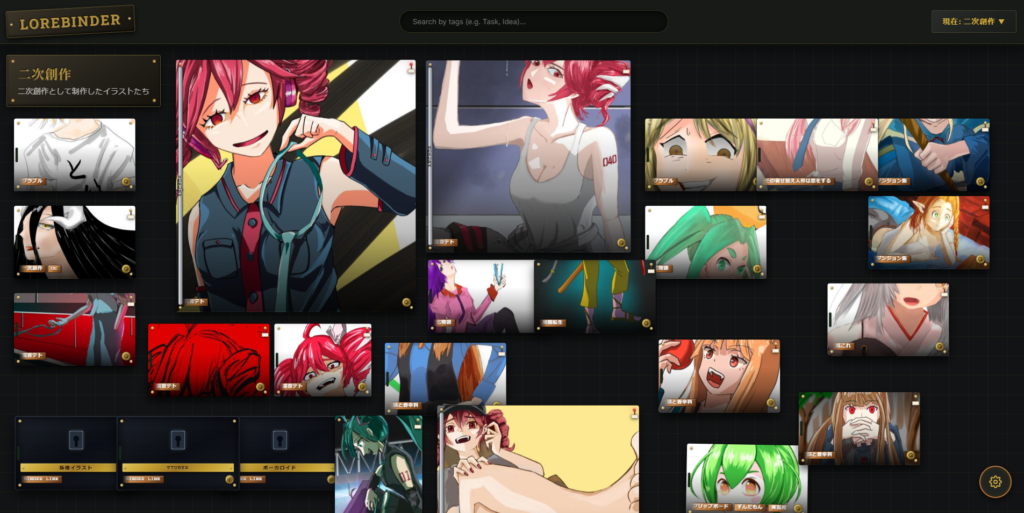
All of these illustrations are gently swaying. Isn’t that just too fun?
What I Find Amazing
As I mentioned at the beginning, this tool runs on a browser, but it apparently uses no images whatsoever—all the designs are achieved purely with CSS and JavaScript.
It feels a bit different from the CSS I know (maybe I’m just out of touch), but the texture of torn paper and the digital feel of URL links are all supposedly expressed through CSS.
I feel like it’s a CSS masterpiece created purely for my friend’s self-satisfaction.
Although it doesn’t appear in the video, if the same card is pasted in another binder, a small scrap of paper appears in the top right corner of the card.
This scrap of paper obeys gravity when you rotate the card (right image), and it subtly swings when you grab the card to drag and drop it.
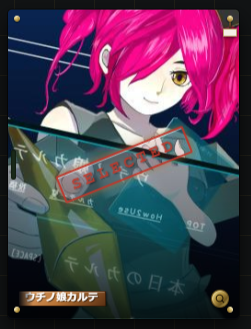
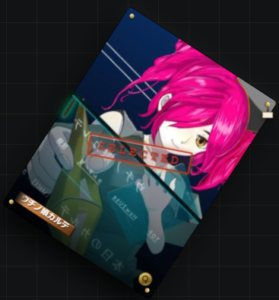
The attention to detail is incredible.
But maybe that’s exactly what makes a tool beloved by people.
Also, I’m just guessing, but the memory consumption when opening a binder in the browser seems quite high. Fortunately, it hasn’t slowed down in my environment, but it might just be my setup.
If you want to try it out, please keep that in mind.
YouTube
Carried away by the momentum, I made a video.
It took so much time that I slightly regretted it, but making videos is fun.
Finished all 3 videos and they’re all up! Go check them out!
I drew the bust-up illustrations of Teto and Zundamon myself.
I’m making PSDs with variations to support eye blinking and lip-syncing.
Halfway through, I was making it with Kotonoha Aoi, but I suddenly wanted to hear Teto’s voice, so I bought VOICEPEAK Kasane Teto.
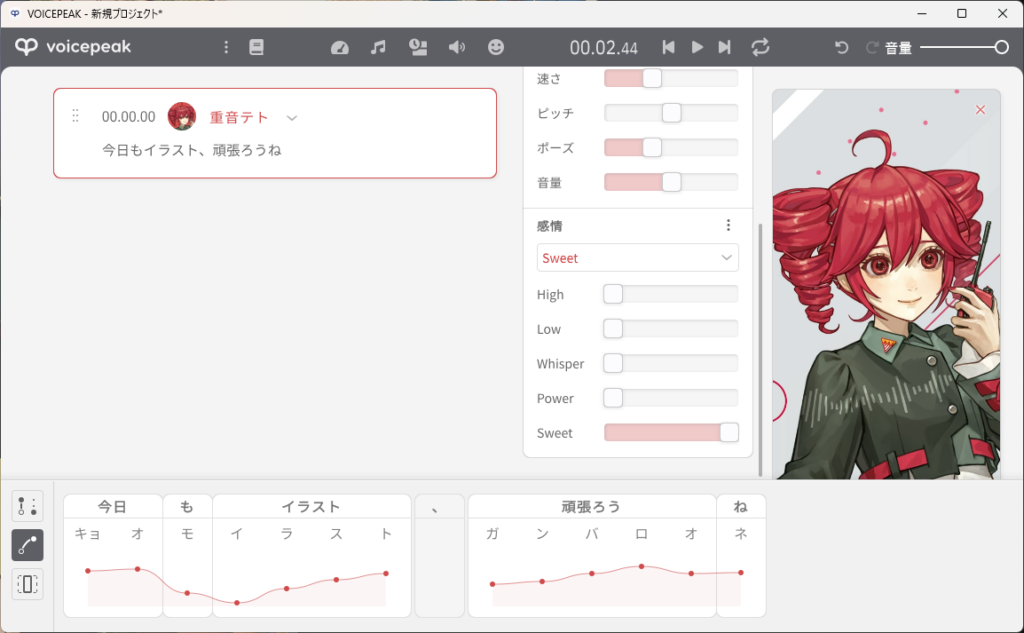
I feel like I can really work hard on this.
I feel like I might be told to practice my base drawing more before drawing variations, but doing the variations made me realize some of my weaknesses.
I need to pour this into my next illustration before I forget.
Download
I’m leaving a zip file for Windows that bundles the executable and everything you need. Just extract it and run LoreBinder.exe—no difficult setup is required.
I repeat, it’s Windows only! It will not work on Linux or Mac.
If you’re interested, please use the download link below.
As a courtesy from a friend, I am sharing what was given to me personally exactly as is. Since there is no official support desk, I cannot take responsibility if it doesn’t work well in your environment or if any bugs occur. If you try it and notice anything, I’d be happy if you let me know in the comments, but please understand that I cannot promise any fixes. Please download and use at your own risk.
Comment